
Play HyCapitol now
Follow these quick steps to join the HyCapitol Hytale server. Once you are in, hop into Discord to find groups, events, and announcements.
How to join
- 1. Open Hytale and go to the SERVERS menu.
- 2. Choose ADD SERVER at the bottom right of the screen.
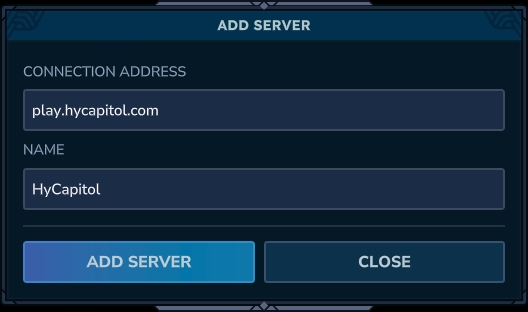
3. Fill in CONNECTION ADDRESS with the server address play.hycapitol.com and NAME with whatever you like (e.g. HyCapitol), then confirm to save.
- 4. Join by double-clicking HyCapitol from your server list.
Server address
2026.02.06-aa1b071c2IP
play.hycapitol.com
If you have connection issues, double-check the address and your internet connection. When in doubt, ask in Discord for help.
Frequently asked questions
What version of Hytale do I need?
HyCapitol will always list the recommended client version in the Discord server and on announcements. Make sure your game matches that version to avoid connection issues.
Is my language supported?
The in-game language depends on Hytale itself, but HyCapitol aims to support multiple languages across the website and Discord. Check the language selector in the navbar to see what is currently available.
Where do I get help if I cannot log in?
Join the HyCapitol Discord and open a support ticket or ask in the help channel. Staff and community members can walk you through connection and account issues.